

Lunar Mosaic
When the Moon is bigger than your camera’s field, photograph it in overlapping tiles and BiggSky joins them into one full-resolution image. It lines the tiles up to a fraction of a pixel, bends each one slightly where the seeing left it distorted, matches their brightness and vignetting, and blends them so that no seam shows — inside your project, straight from your stacked and deconvolved tiles.
SSE Lite, SSE Pro, Universe Functions › Mosaic…
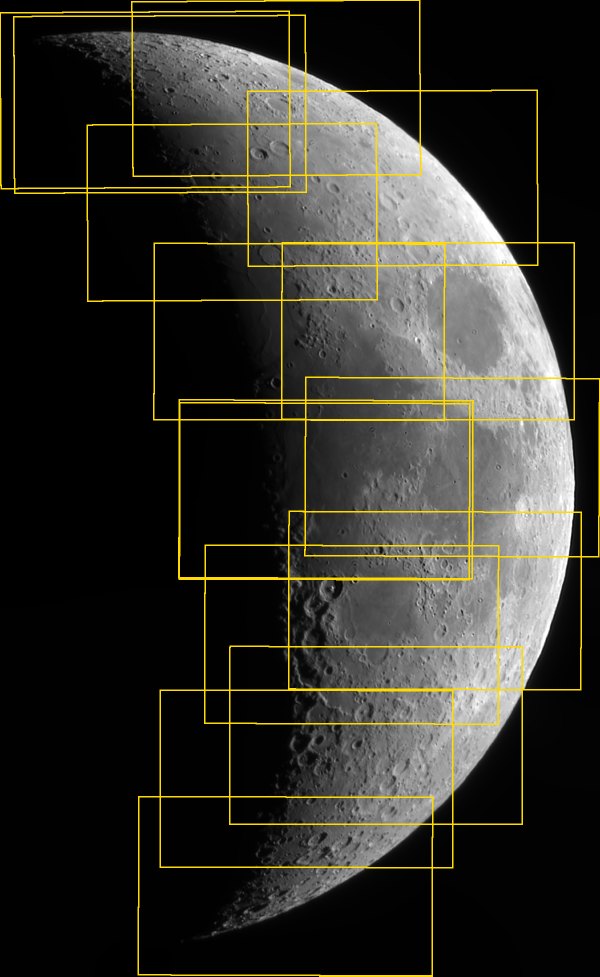
From a folder of tiles to one seamless Moon
The tiles can be in any order and need no hints. BiggSky works out which tiles overlap and where, from the lunar detail they share.
Sub-pixel registration
BiggSky finds which tiles overlap and lines them up to a fraction of a pixel, correcting small differences in rotation and scale. All the tiles are placed together, so small errors do not add up across the mosaic.
Local alignment
A stacked tile is not perfectly rigid: each carries a few pixels of its own distortion from the seeing. BiggSky bends each tile smoothly by just enough that the tiles agree where they meet, and leaves the rest of the tile alone.
Brightness and vignetting
Tiles stretched or exposed differently get their own gain and offset, fitted on the bright Moon and on the sky and night side, and all share one vignetting curve, so a crater has the same brightness in every tile.
No visible seams
Each seam runs through the middle of its overlap, and the tiles are blended so that fine detail stays sharp right up to the seam — nothing doubled or blurred — while brightness changes gradually.
Gaps and crops
Corners no tile reaches are filled with a smooth model of the surrounding sky that follows the glow fading away from the Moon, with the sky’s own grain, so they stay invisible under strong stretches. Or crop to the largest rectangle the tiles cover completely.
Fast, and honest about it
On the GPU when Use GPU is ticked, on all your cores otherwise. When it is done it tells you how well the tiles lined up, how far it bent them, and names any tile it could not place.
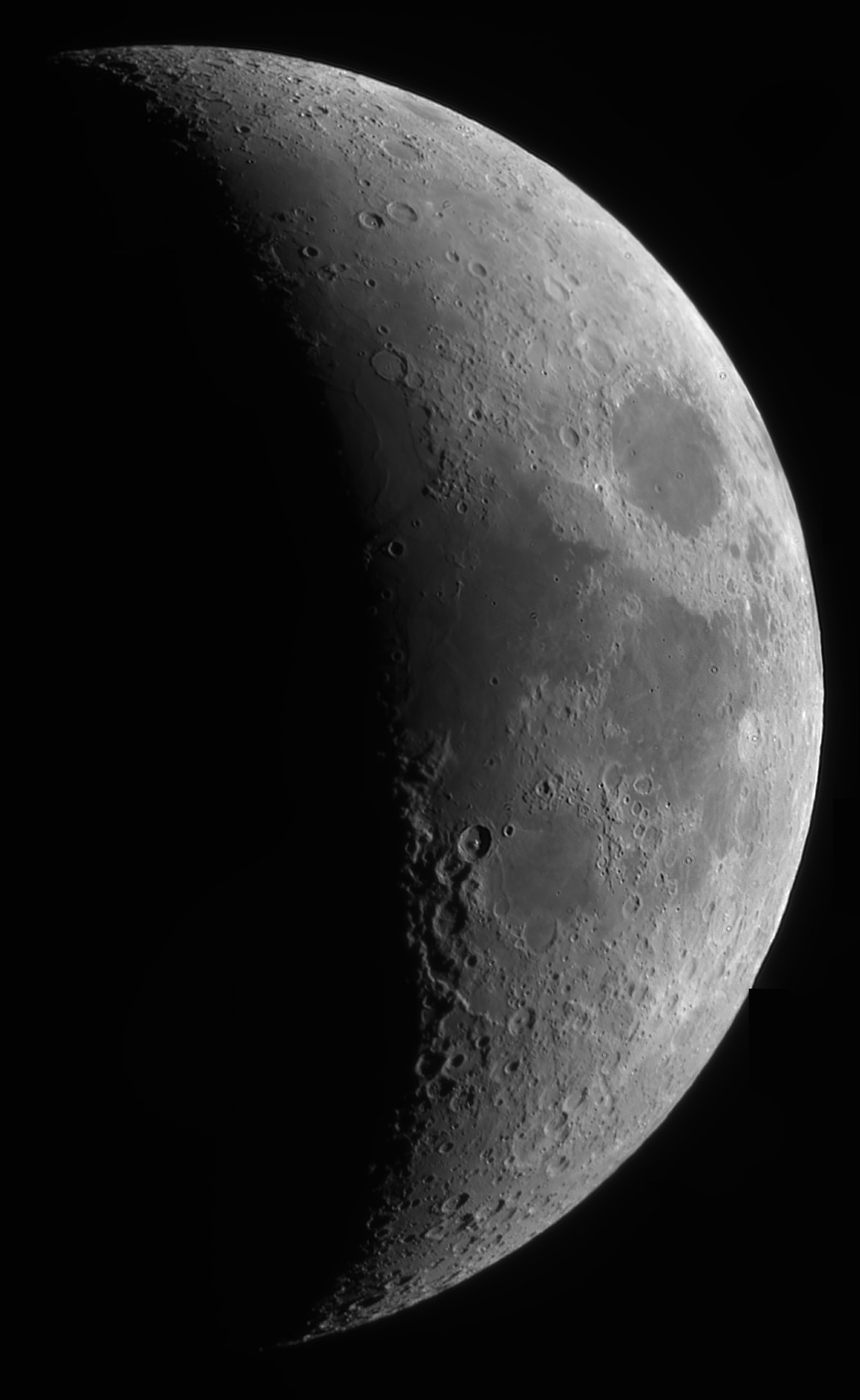
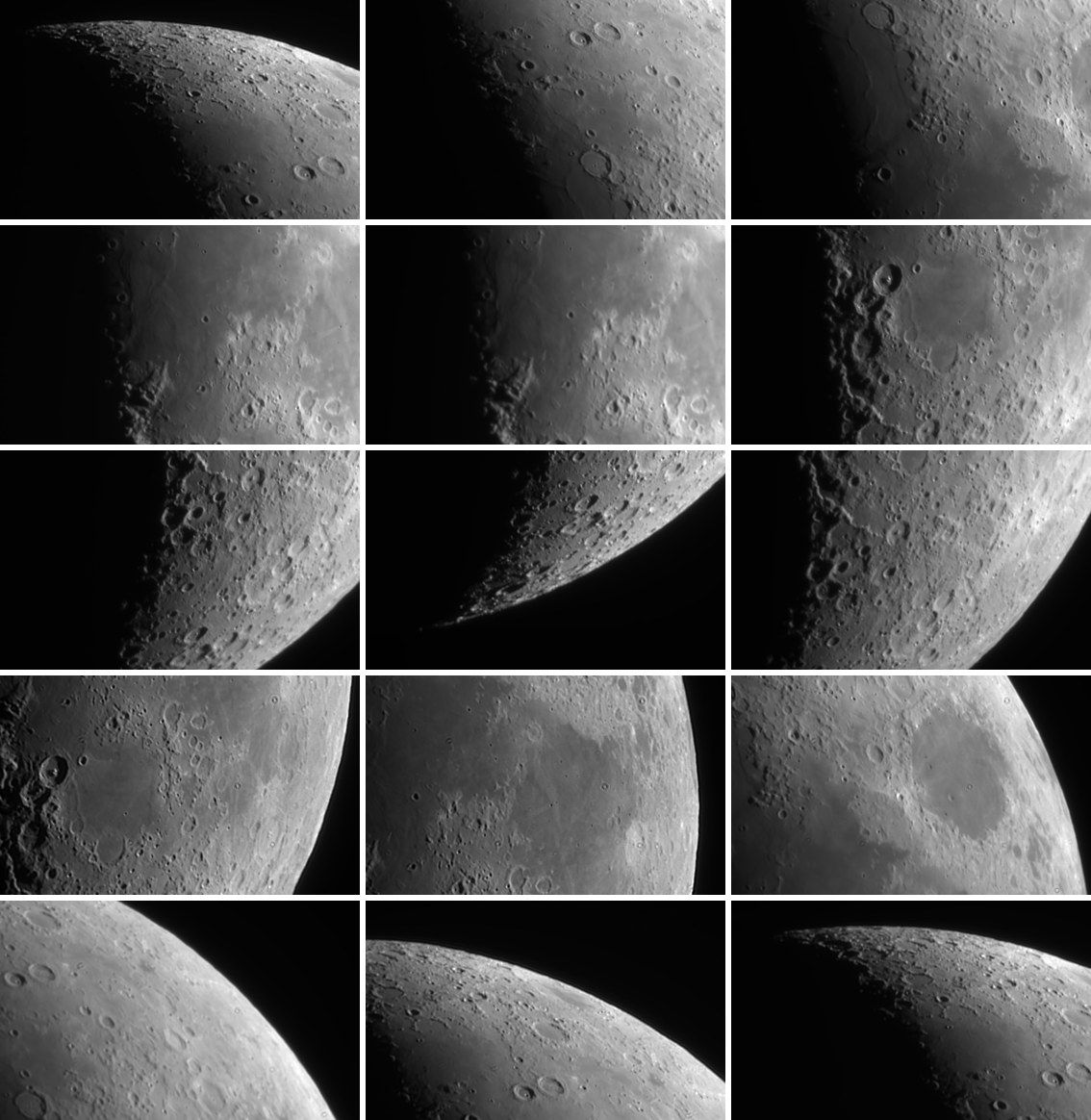
Fifteen panels of a crescent Moon, 8° above the horizon
A hard test. The Moon was only 8° up at the meridian, focus was soft and there was low cloud at the horizon. Fifteen videos with a Skyris 236M, each stacked and deconvolved in BiggSky to a 1840 × 1124 tile. Images: David Richards, 16 October 2026.
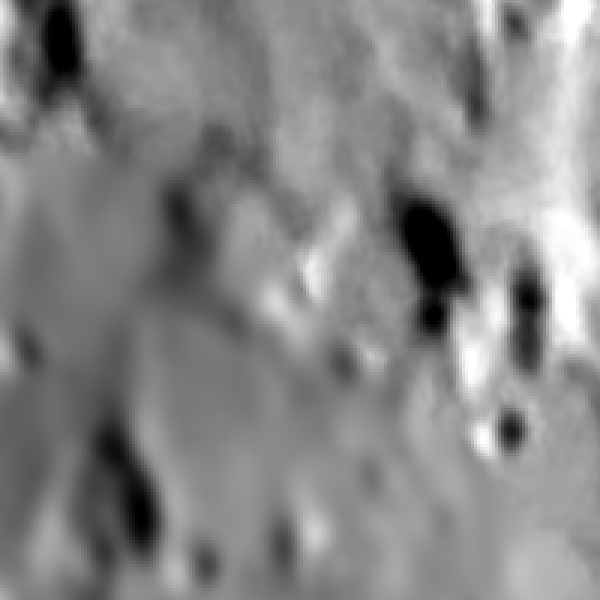
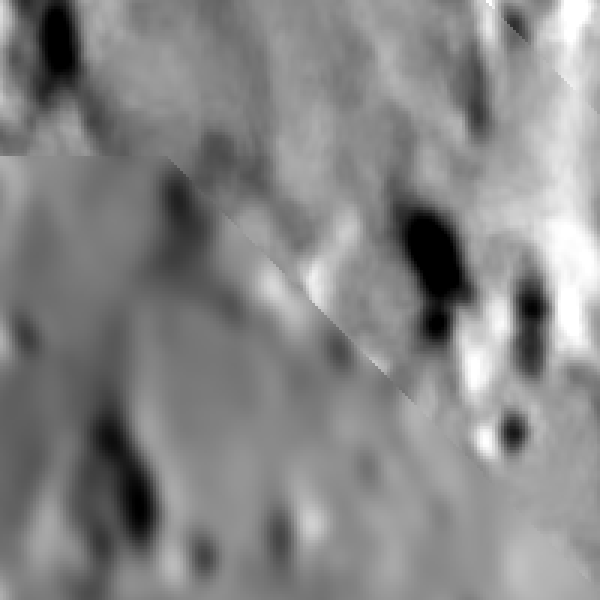
Local alignment
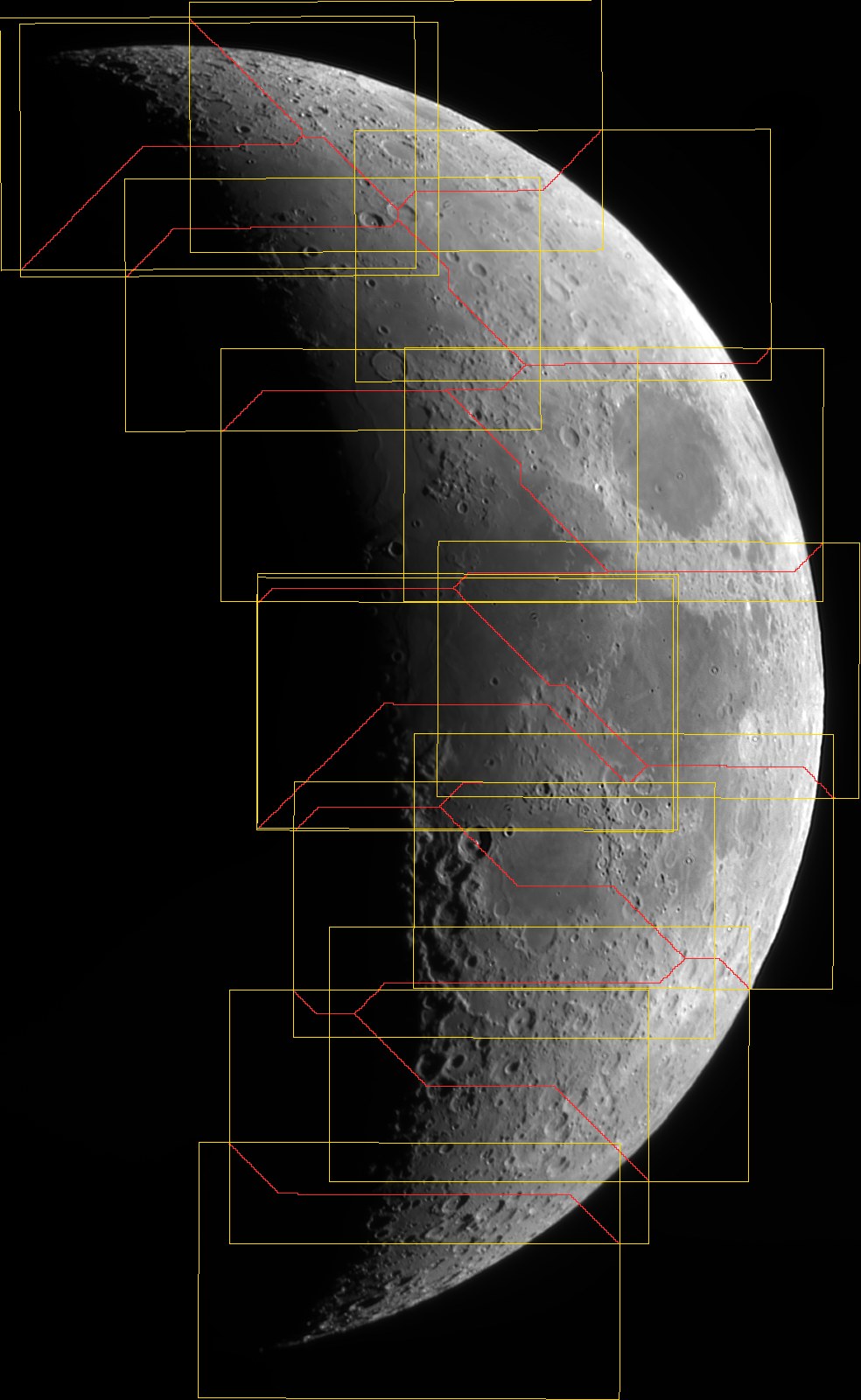
A seam between two panels, magnified three times and strongly stretched. Placed as rigid wholes and joined with a hard edge, the ridge and crater rims break where they cross the diagonal seam, by up to 4 pixels. With local alignment and blending they run straight through.
Drag the handle, or use the arrow keys · Images: David Richards
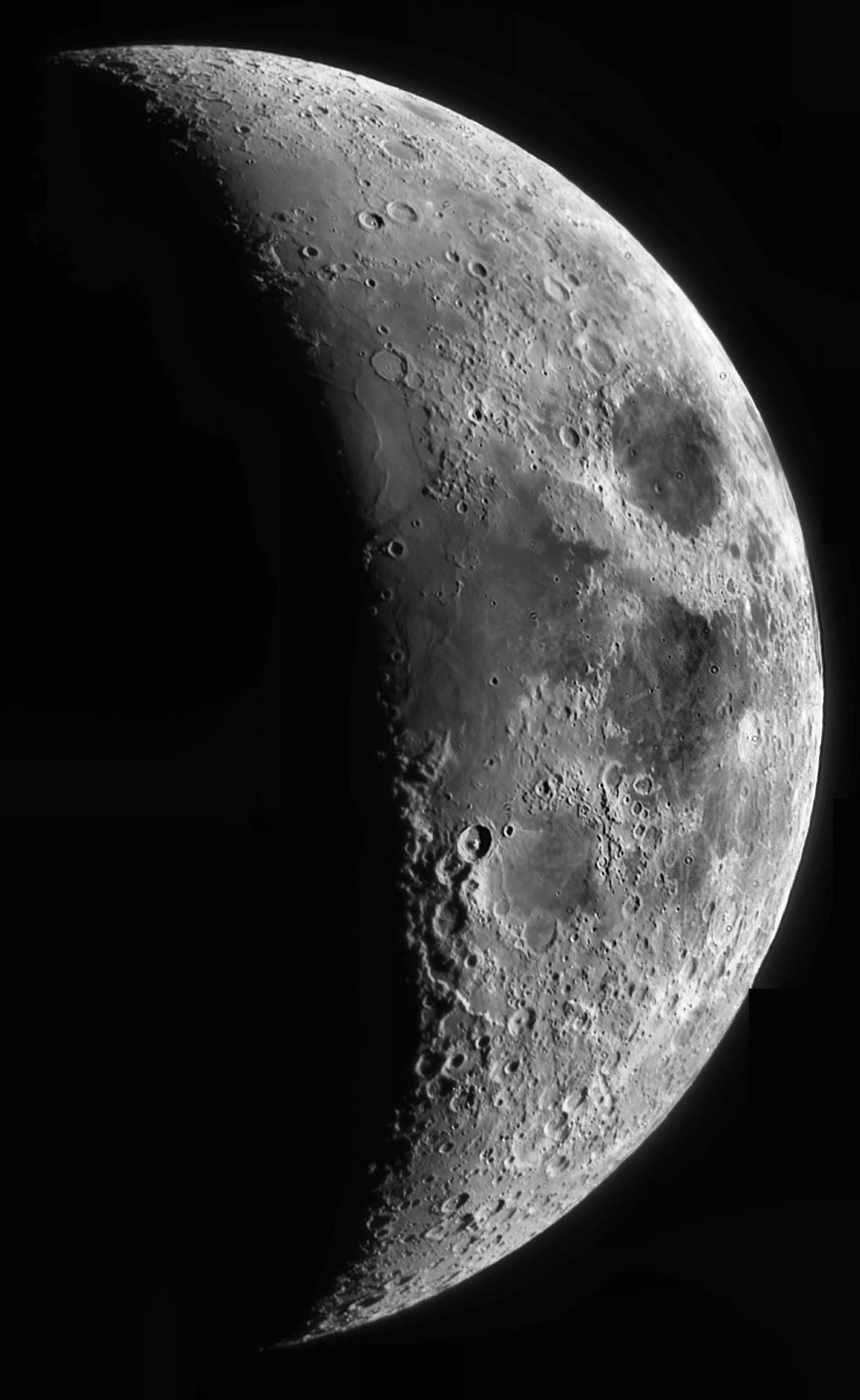
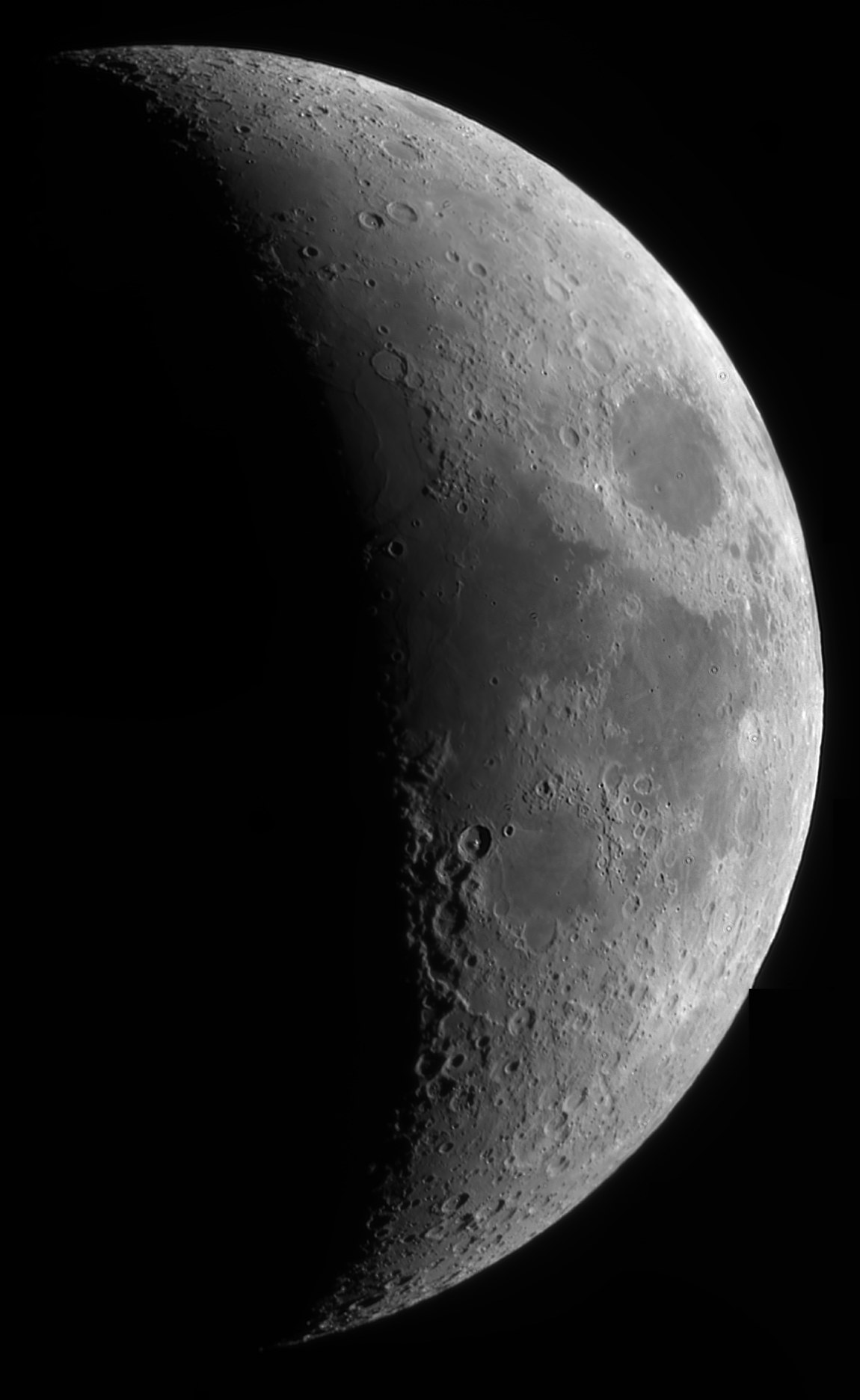
Clip and CLAHE
The mosaic in BiggSky’s Clip render and with CLAHE, which lifts local contrast across the whole crescent. A strong local stretch finds every small step a mosaic leaves — here no seams, tile edges or filled corners show. Settings: Source Clip, Distribution uniform, ClipLimit 0.0075, NumTiles 8.
Drag the handle, or use the arrow keys · Images: David Richards
Why local alignment matters
Fitted as rigid tiles, the overlaps of these panels disagreed by 1.2–2.5 pixels at the median and up to 7 in places — even where the detail was sharp and bright, and no smooth lens-distortion model removed it. It is the seeing frozen into each stack, different in every tile; the one stacked from only 129 good frames was the worst. Local alignment brought the disagreement, measured on matches it was not fitted to, from 2.9 to 0.8 pixels.
What each tile needed
Each panel had been stretched separately, so their brightness differed by tens of percent and their night side from 0.1% to 1.2% of full scale, with a glow from the low Moon through cloud. BiggSky gave each tile its own gain and offset from the overlaps, fitted on the sky and night side as well as the bright Moon, so the dark parts of neighboring tiles meet at the same level.
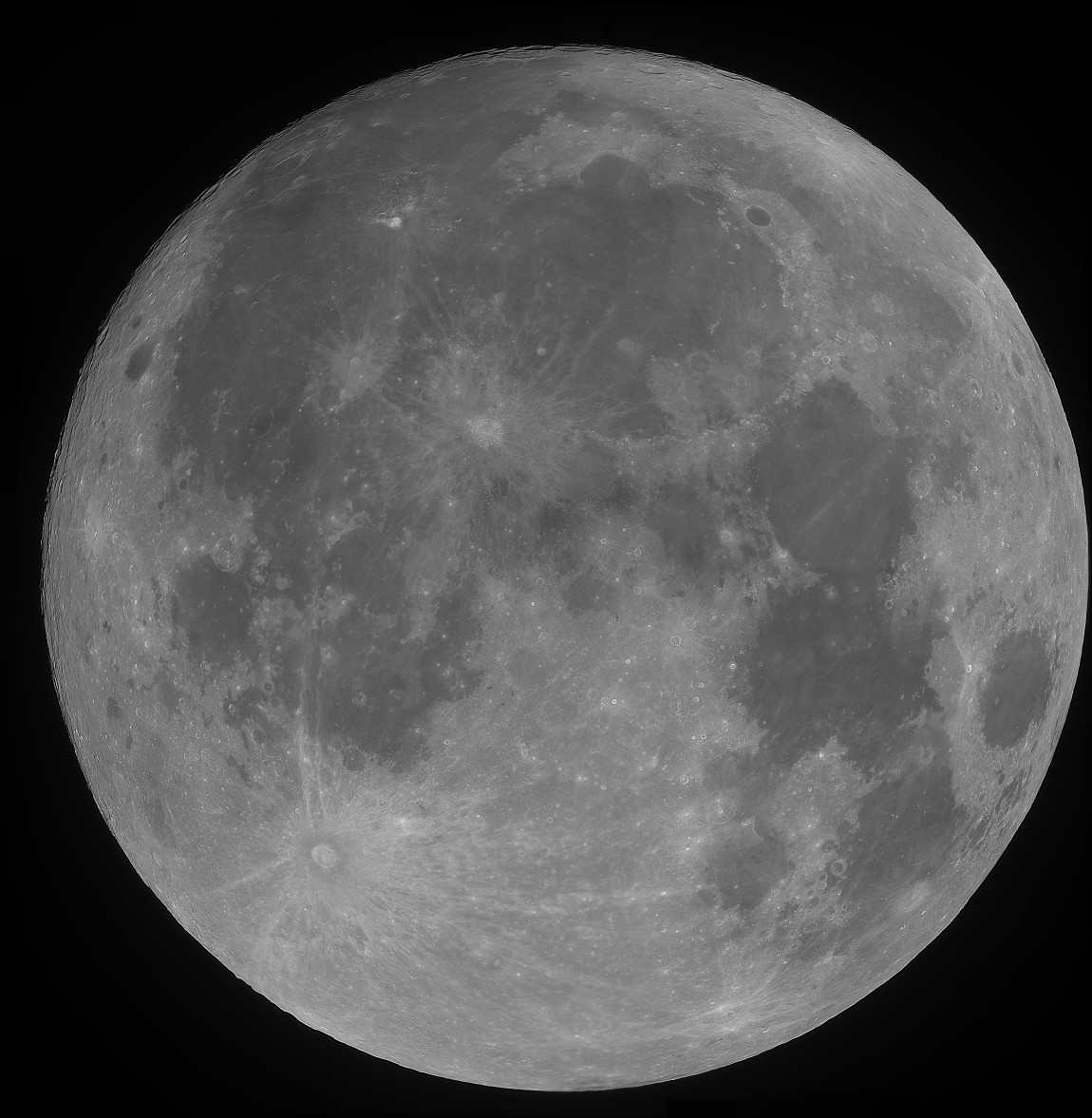
A full Moon from six tiles
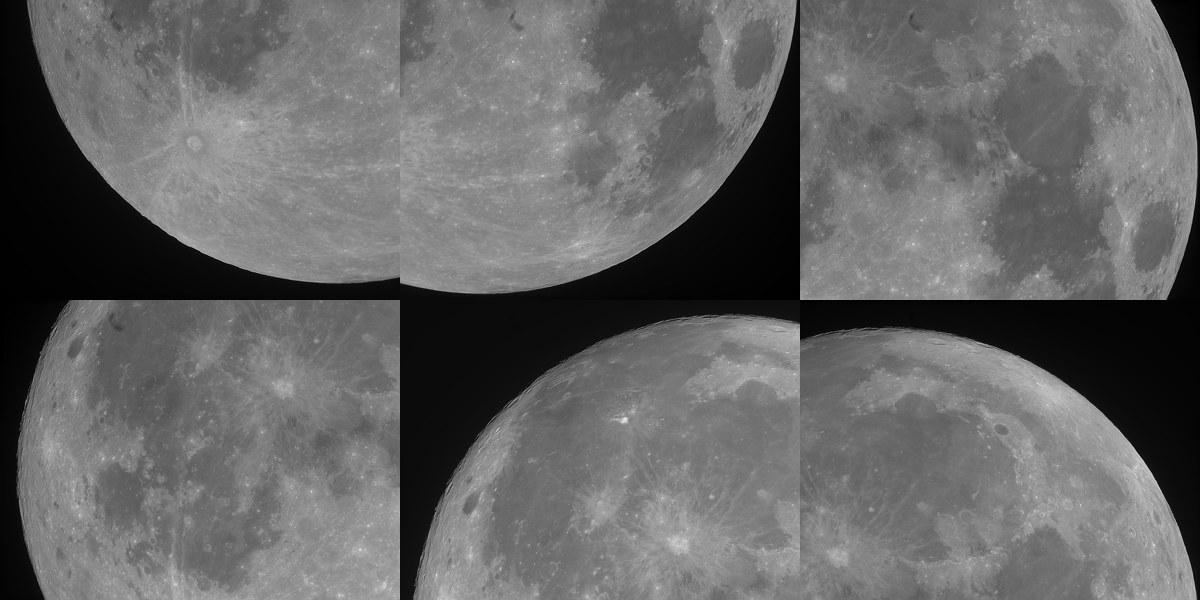
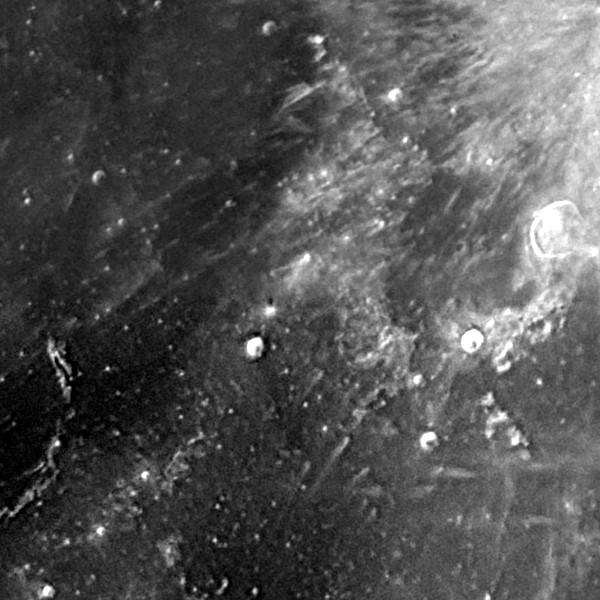
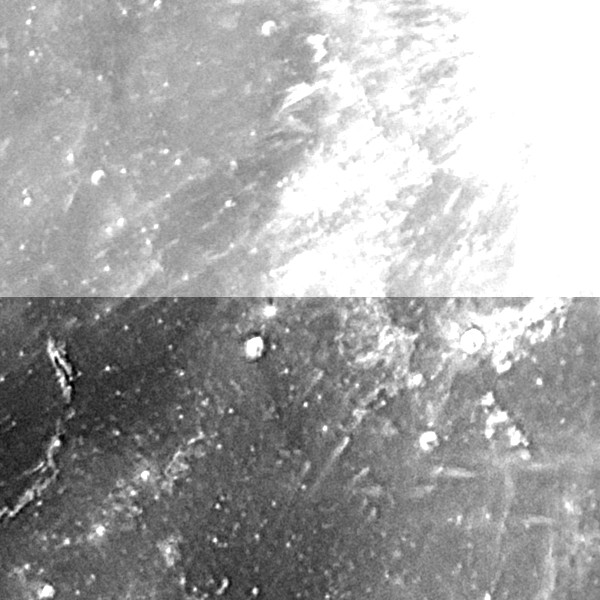
Six 4590 × 3460 tiles, each a stack of 900 frames deconvolved in BiggSky, overlapping by about a third. Each View image had been stretched to its own histogram, so the tiles differ in brightness by up to 25%.
Brightness matching
Where tiles meet, strongly stretched. Joined as they were stretched, each tile is a different brightness. Matched and blended, no seam is visible, and the smallest craters cross the boundary without a break.
Drag the handle, or use the arrow keys
Functions › Mosaic…
Stack and deconvolve each tile as usual, then:
Put the tiles in a dataset
Add the tile images — the View images of each tile’s decon, or its 32-bit decon if you want to stretch the result yourself — as one dataset, and select it. Or skip this: Mosaic asks for the files when the dataset has none.
Choose Functions › Mosaic…
If the tiles have been deconvolved, pick which images to use; the View folder is listed first.
Press OK
The defaults suit almost every lunar mosaic: similarity geometry, multiband blending, brightness and vignetting matching, and local alignment.
Check the result
The mosaic opens as a new dataset and is saved in a Mosaic folder beside the tiles, with a layout image of the seams. The message says how well the tiles lined up and names any it could not place.
| Geometry | Similarity (shift, small rotation and scale) by default; affine or translation if you need them. |
|---|---|
| Blending | Multiband (seamless), feather, or none — hard seams, to see where they fall. |
| Brightness and vignetting | A gain and offset per tile, and one vignetting curve for all, fitted on the overlaps. |
| Local alignment | Bends each tile by the few pixels the seeing left, so the overlaps agree. On by default. |
| Edge trim | Pixels left off every tile edge (8 by default), away from stacking and decon edge effects. |
| Crop | The full extent of the tiles, gaps filled with the sky; or the largest rectangle with no gaps. |
| Suffix | Optional: saves to a Mosaic_<Suffix> folder, so a new try does not overwrite the last one. |
| Output | A 16-bit PNG or TIFF, or a 32-bit floating-point TIFF scaled 0–1 that Photoshop and GIMP open; the layout image; and a new dataset in your project. Gray or color, as the tiles are. |
How long it takes
| Mosaic | 1 thread | 6 cores | GPU |
|---|---|---|---|
| 15 panels, 2 Mpx each | 23 s | 17 s | 18 s |
| 6 tiles, 16 Mpx each | 31 s | 24 s | 19 s |
Measured on an Intel Core Ultra 9 185H with an NVIDIA GeForce RTX 5070 Ti, from reading the tiles to the finished mosaic. Mosaic uses BiggSky’s Use GPU and Use CPU Multi-Core settings, and the results are the same either way.
Overlap well, keep the camera square
Overlap by 20–40%
The matches come from the detail the tiles share, so more overlap places them more surely. A thin strip still works, but a tile that overlaps its neighbors only in shadow or sky may not be placed.
Same scale, same angle
The same telescope, camera, Barlow and binning for every tile, and the camera not turned between them. A degree or two of rotation — field rotation, a slewed mount — is measured and corrected.
Process them alike
Stack and deconvolve every tile with the same settings — Do It All on a folder of videos, or a saved profile, makes that easy. Brightness differences are matched; differences in sharpness are not.
What it cannot do
These are the limits we measured or know about.
It cannot add detail
A tile taken in worse seeing or out of focus stays softer than its neighbors. The seams do not show as steps, but the change in texture can, under close inspection. Re-process or re-capture that tile.
Small rotations only
The tiles must be at one image scale and the camera at one angle, give or take a few degrees. It is not a tool for joining images from different telescopes or cameras, or mirror-flipped frames.
Distortion is corrected where tiles meet
Local alignment fixes the few-pixel distortions stacks normally carry, near the overlaps, where the tiles can be compared. A tile distorted much more — a poor stack — is reported as still differing from its neighbors.
Brightness is matched, not re-rendered
Each tile gets a gain and an offset. Tiles rendered with very different curves, or with local-contrast processing already applied, cannot be matched exactly. Join tiles rendered alike, or the 32-bit decons, and stretch the mosaic.
The dark parts are matched to a whisker
Sky and night-side levels are matched to about 0.03% of full scale. Under an extreme local-contrast stretch, faint level changes can still be found there, especially where scattered light differed from tile to tile.
Gaps are filled, not imaged
Where no tile reached, the mosaic shows a model of the sky fitted to the sky around the gap — not data. Far from any tile, or in a thin strip beside the limb, it can be a little lighter or darker than the real sky. Choose the covered crop to leave such corners out.
A flat projection
The tiles are joined on a flat plane, which is right for the Moon and Sun at telescope focal lengths. It does not make the spherical projections a wide-angle landscape panorama needs.
Tiles it cannot place are left out
A tile with no overlap with the others, or whose overlaps cannot be matched, is named in the message and left out rather than guessed at. An exact duplicate of another tile is left out too.
Make your own lunar mosaic
Mosaic is in BiggSky SSE Lite, SSE Pro and Universe.
Download BiggSky Compare editions Read the manual
Thanks to David Richards for the fifteen-panel crescent Moon.