BiggSky — astrophotography image processing software

Fully featured 30-day trial Windows, macOS and Linux Runs on your machine — nothing uploaded Blind deconvolution — no reference star
The workflow

Calibrate. Stack. Enhance. Publish.

The whole pipeline in one application — from raw frames to a finished image, without shuttling files between four different programs.

11 seconds · raw frames to finished image

Calibrate

Apply darks, flats and bias to your raw frames. Camera RAW, FITS, XISF, SER and TIFF all read natively.

Stack

Automatic frame grading and alignment. No alignment points to place, and no grid artefacts from drizzle.

Enhance

Blind deconvolution measures the blur in your own data and removes it. No reference star, no wavelet guesswork.

Publish

Colourise, crop and export at 8, 16 or 32 bits — or hand the result to your usual finishing tool.

Why BiggSky

Built around the blur, not around presets

BiggSky measures the optical and atmospheric degradation in each image and reverses it mathematically. Nothing is invented and nothing is hallucinated.

Automatic PSF estimation

Blind deconvolution derives the Point Spread Function from the image itself. You do not need a reference star, and you do not need to guess a radius.

Tiled processing

Seeing varies across a large lunar or solar frame. BiggSky splits the field into tiles and solves each one separately, then blends them seamlessly.

Clean stacks, fewer artefacts

High-frequency ringing and drizzle grid patterns are suppressed at the stacking stage — which is exactly what lets the deconvolution go further.

Batch it overnight

Queue a night's worth of SER or AVI captures and let BiggSky stack, crop and deconvolve them unattended. Review the results in the morning.

See the full feature list

See the difference

The same frame, before and after

Drag the handle. Everything on the right was already in your data — deconvolution recovers it, it does not invent it.

More comparisons

Results

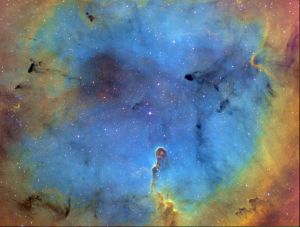
Processed with BiggSky

Work from the BiggSky community, including several AstroBin Images of the Day.

Open the full gallery

Watch

See it work on real data

A full walkthrough of lunar, solar and planetary enhancement, recorded live for The Astro Imaging Channel.

Runs about an hour. If you want the short version, the Quick Start guide covers the same ground in writing.

Download the trial Browse tutorials

Runs where you work

Windows, macOS and Linux

One application, built for each platform. Apple Silicon is a native build, not translated through Rosetta.

Windows

Windows 10 and 11.

64-bit
Native

Mac — Apple Silicon

A native M-series build, not Rosetta.

arm64

Mac — Intel

For Intel-based Macs.

x86-64

Linux

64-bit Intel and AMD.

x86-64

NVIDIA GPU acceleration on Windows

An NVIDIA card cuts processing time substantially — anything from Kepler (2013) onwards, which is most cards still in use.

There is a separate Windows build for Blackwell, the RTX 50-series, so the newest hardware is properly supported rather than merely tolerated.

Where GPU support stands

  • Windows — NVIDIA, Compute Capability 3.5 and up. RTX 50-series needs the separate Blackwell build.
  • Linux — not tested. It may work; we have not verified it, so we do not claim it.
  • macOS — no GPU acceleration. Processing runs on the CPU.
  • SSE Lite — no GPU acceleration. Same results, more slowly.

Developed on a 2008 workstation with a GTX 780 Ti. Yours is almost certainly faster.

Full system requirements

Try it on your own data

Version , released . Fully featured for 30 days — no watermark, no locked features, no card needed.